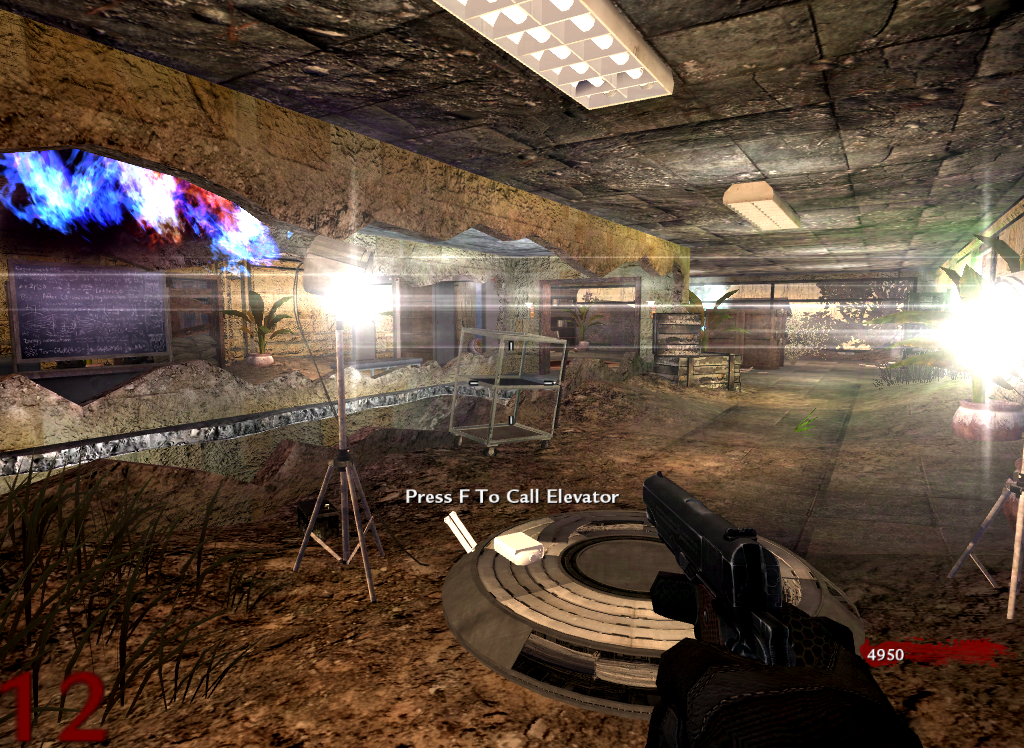
Script Tutorial: Spawning A Random Weapon In Your Map In this thread, I'll be showing you how to spawn a randomly selected weapon into your map. You can have as many weapons to be possibly selected as you want, as long as you aren't too lazy to change a couple things (but if you suck at scripting, don't stress - for I shall show you how). This isn't a huge, complicated script...because it isn't necessary to be. It's very simple, and shouldn't be too difficult for newbies to add to their maps. Let's get started!
Step 1: Adding The Entity The first thing you need, is a simple 'trigger_use' placed in your map.
- To create a trigger_use entity, right-click on the 2-D view side of you map and go to --> trigger > use - The entity must have the following dimensions: x: 40, y: 40, z: 8 - For newbies, those dimensions mean that the trigger_use should be 40 units in length and width, and 8 units in height.
Next, place the trigger flat on the floor (or table, box, shelf, etc.) PLEASE NOTE: The location that you place this trigger_use is where the weapon will spawn.
- Now save your map and open up your map's .GSC file (nazi_zombie_yourmapname.gsc)
Step 2: Scripting Now that we have the entity placed in our map, we can get to the fun stuff.
- In your map's .gsc file, find this:
Code Snippet
Plaintext
maps\_zombiemode::main();
and directly underneath, put this:
Code Snippet
Plaintext
thread random_gun();
- Now scroll down to the very bottom and paste this there:
old_gun = player getcurrentweapon(); weaplist = player GetWeaponsListPrimaries(); for(i=0;i<weaplist.size;i++) {
} if(weaplist.size <= 1) { player giveweapon( weapon ); player switchtoweapon( weapon ); player playsound( "weap_pickup_plr" ); } else if(weaplist.size >= 2) { player takeweapon( old_gun ); player giveweapon( weapon ); player switchtoweapon( weapon ); player playsound( "weap_pickup_plr" ); }
player iprintlnbold( message );
gun_model delete(); gun_spawn delete(); }
- The purpose of the 'random_gun()' thread is briefly explained in the commented out line at the beginning of the thread. The 'weapon model' is the weapon's world model name, which can be found in Asset Viewer. The 'hint string' is what will be displayed to players who walk up to the weapon (feel free to customize the hint to your liking). The 'weapon file' is the name of the weapon's file, which contains it's damage settings, camo, clip size, etc., and can be found in mods > your_map_name > weapons > sp. Finally, the 'message' is what the game will display on-screen when a player picks up the weapon (this isn't a necessity and can be edited to your liking or removed).
Sub-step 1: Adding More Weapons To Be Randomly Selected Adding a larger variety of weapons that can possibly be chosen from the script can make your map more fun and add to the replayablilty factor by leaving players eager to see which weapon(s) have spawned for them each time. Doing this may be confusing for those who are new to this, but I will do my best to explain it.
- The two main things we must worry about when adding additional weapons, are these two lines:
Code Snippet
Plaintext
rand = randomintrange( 1, 10 ); <----


if(rand >= 1 && rand <= 6) /* 60% chance of this weapon spawning*/ <----
	{
		thread pick_up_gun( "weapon_usp", "Press &&1 for weapon", "usp", "You found a USP.45" );
	}
To be able to understand this simplicity, you had to have passed atleast 5th grade math. If you have not, then this is not the place for you. Go play some Mario Kart or something.
- What we are looking at is percentages. Now, in case you haven't noticed, I have different weapons set at different percentages (or 'chances') of spawning. You know what, nevermind - I'm not going to 9/11 my brain attempting to explain this. Here's a brief, simple explanation: change the random_int_range if necessary and adjust the percentages to your liking. It isn't difficult once you mess around and get the hang of it. Use the commented out template to add more weapons, but be sure to add the correct model and weapon file. Feel free to ask me questions.
Overview: I'm very tired at the moment and may have left out explanations or something. Just be sure to rebuild your mod after adding these scripts and make sure to recompile your map. If anyone suspects something is missing, just comment below, ask me a question, or PM me. I'll check back tomorrow.
Surprised you didn't mention everything else with the script.
The script is only good for one use because it deletes the one and only trigger it uses(gun_spawn) and it has a random unnecessary for() loop:
Code Snippet
Plaintext
	for(i=0;i<weaplist.size;i++)
		{

		}
I'm not great at scripting, dude. I've been trying my best lately, and I intentionally made it a one-time use because i dont think weapons spawn out of thin air in real life after you have picked one up. I know you and DUKIP can make this look much better and function better, but the scriot still works perfectly. I respect you guys, but I'm still learning
I'm not great at scripting, dude. I've been trying my best lately, and I intentionally made it a one-time use because i dont think weapons spawn out of thin air in real life after you have picked one up. I know you and DUKIP can make this look much better and function better, but the scriot still works perfectly. I respect you guys, but I'm still learning
I was just pointing things out so you can improve it. Sorry if i was a bit harsh.
Last Edit: September 15, 2015, 02:13:33 am by daedra descent


 Reply
Reply AlecKeaneDUB




 Los Angeles, CA





 u dnt wnt 2 no