UGX-Mods Login

or login with an authentication provider below
Sign In with Google
Sign In with Twitter
Sign In with Discord
Sign In with Steam
Sign In with Facebook
Sign In with Twitch

[Help] hud grow and shrink (text)

broken avatar :(
Created 11 years ago
by Deleted User
0 Members and 1 Guest are viewing this topic.
2,037 views
broken avatar :(
  • DeletedUser
  • Deleted Member
×
broken avatar :(
DeletedUser
This user is deleted :(
Anychance anyone knows how i can make a hud grow and shrink over time? i tried setting the fontsize waiting the nsetting to a lower value but nothing happend :( also tried using ScaleOverTime() but still nothing
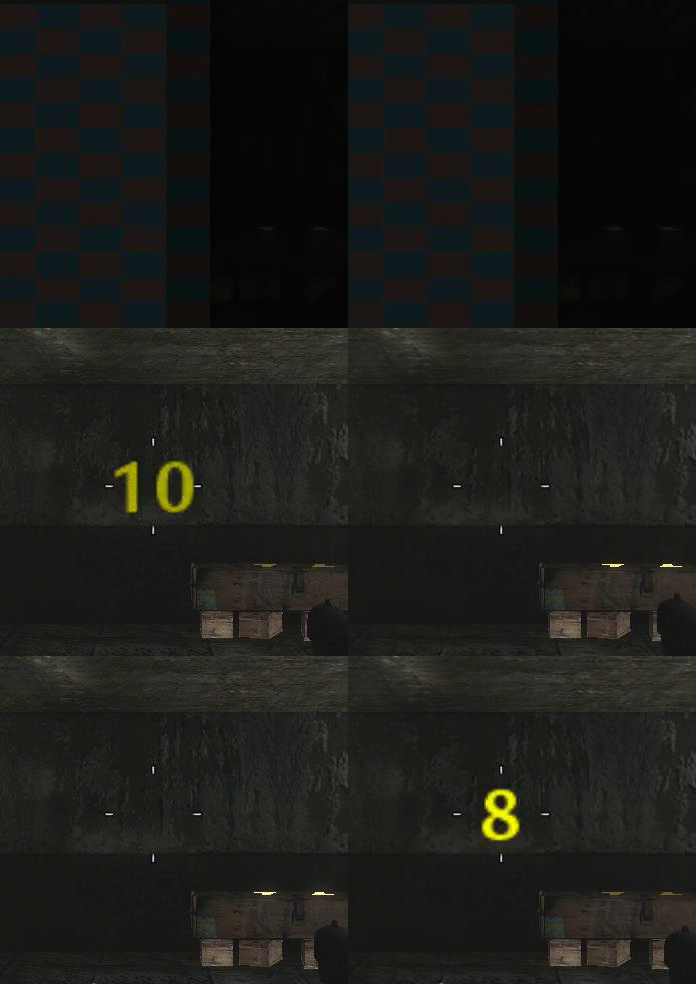
So far i have this i would like to have it shrink when it fades in and grow when it fades out

Spoiler: click to open...
This topic contains a post which is marked as the Best Answer. Click here to view it.
broken avatar :(
×
broken avatar :(
Location: us
Date Registered: 14 September 2013
Last active: 6 years ago
Posts
1,895
Respect
Forum Rank
Zombie Destroyer
Primary Group
Scripter
My Groups
More
My Contact & Social Links
More
Personal Quote
BE ORIGINAL
Signature
×
MakeCents's Groups
Mapper Has released one or more maps to the UGX-Mods community.
Scripter Has shown effort and knowledge in the area of scripting while being a part of the UGX-Mods community.
BO3 Modtools Alpha
BO3 Modtools Alpha
This user has access to the Black Ops 3 Modtools Alpha
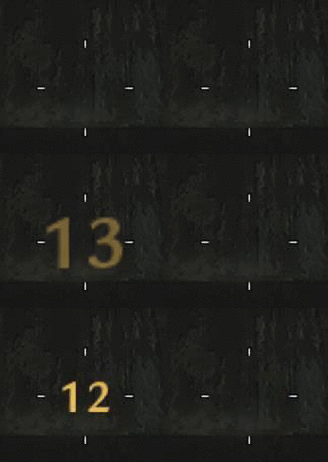
I've used images instead and just keep setshader in a loop quickly to down size. I've never tried resizing text, but have you tried to chnage the fontscale and settext again after?

Edit:
Or have you tried this:
ChangeFontScaleOverTime
Last Edit: October 18, 2015, 05:59:03 am by MakeCents
broken avatar :(
×
broken avatar :(
Location: gbMilton Keynes
Date Registered: 17 January 2014
Last active: 6 years ago
Posts
6,875
Respect
Forum Rank
Immortal
Primary Group
Scripter
My Groups
More
My Contact & Social Links
More
Signature
If you want scripts / features made for you, then contact me by PM or email / skype etc
it will cost you tho so if you have no intention of reciprocating don't even waste my time ;)
×
Harry Bo21's Groups
Donator ♥ Benevolent Soul who has our eternal gratitude and exclusive access to betas and the donator section of the forum.
Scripter Has shown effort and knowledge in the area of scripting while being a part of the UGX-Mods community.
Harry Bo21's Contact & Social LinksHarryBo000[email protected]HarryBo21
is there a

scaleOverTime()

?
broken avatar :(
  • DeletedUser
  • Deleted Member
×
broken avatar :(
DeletedUser
This user is deleted :(
I've used images instead and just keep setshader in a loop quickly to down size. I've never tried resizing text, but have you tried to chnage the fontscale and settext again after?

Edit:
Or have you tried this:
ChangeFontScaleOverTime
this worked but not smoothly :(

Spoiler: click to open...

Double Post Merge: October 18, 2015, 06:11:35 am
is there a

scaleOverTime()

?
there is a ScaleOverTime() but isnt this for scalign shaders and not text

Code Snippet
Plaintext
hud_elem ScaleOverTime(time, width, height);
broken avatar :(
×
broken avatar :(
Location: gbMilton Keynes
Date Registered: 17 January 2014
Last active: 6 years ago
Posts
6,875
Respect
Forum Rank
Immortal
Primary Group
Scripter
My Groups
More
My Contact & Social Links
More
×
Harry Bo21's Groups
Donator ♥ Benevolent Soul who has our eternal gratitude and exclusive access to betas and the donator section of the forum.
Scripter Has shown effort and knowledge in the area of scripting while being a part of the UGX-Mods community.
Harry Bo21's Contact & Social LinksHarryBo000[email protected]HarryBo21
just noticed i posted exactly what MC had already posted...

I gotta learn to read lol
Marked as best answer by Deleted User 7 months ago
broken avatar :(
  • DeletedUser
  • Deleted Member
×
broken avatar :(
DeletedUser
This user is deleted :(
I got it working :D

i just moved a few functions from MP to SP (since they arnt in the SP _hud.gsc)

maps\mp\gametypes\_hud::fontPulseInit();
maps\mp\gametypes\_hud::fontPulse(<player>);

Spoiler: click to open...
broken avatar :(
×
broken avatar :(
Location: gbMilton Keynes
Date Registered: 17 January 2014
Last active: 6 years ago
Posts
6,875
Respect
Forum Rank
Immortal
Primary Group
Scripter
My Groups
More
My Contact & Social Links
More
×
Harry Bo21's Groups
Donator ♥ Benevolent Soul who has our eternal gratitude and exclusive access to betas and the donator section of the forum.
Scripter Has shown effort and knowledge in the area of scripting while being a part of the UGX-Mods community.
Harry Bo21's Contact & Social LinksHarryBo000[email protected]HarryBo21
I got it working :D

i just moved a few functions from MP to SP (since they arnt in the SP _hud.gsc)

maps\mp\gametypes\_hud::fontPulseInit();
maps\mp\gametypes\_hud::fontPulse(<player>);

Spoiler: click to open...
nice, but youve called another script to do it, if you look "in" that script, youll prob find the answer you were looking for before ;)

but that does look pretty cool ;)


Code Snippet
Plaintext
fontPulseInit()
{
self.baseFontScale = self.fontScale;
self.maxFontScale = self.fontScale * 2;
self.inFrames = 3;
self.outFrames = 5;
}

fontPulse(player)
{
self notify ( "fontPulse" );
self endon ( "fontPulse" );
player endon("disconnect");
player endon("joined_team");
player endon("joined_spectators");

scaleRange = self.maxFontScale - self.baseFontScale;

while ( self.fontScale < self.maxFontScale )
{
self.fontScale = min( self.maxFontScale, self.fontScale + (scaleRange / self.inFrames) );
wait 0.05;
}

while ( self.fontScale > self.baseFontScale )
{
self.fontScale = max( self.baseFontScale, self.fontScale - (scaleRange / self.outFrames) );
wait 0.05;
}
}

They manually changed and updated per frame/time
Last Edit: October 18, 2015, 07:43:54 am by Harry Bo21

 
Loading ...