Hi all,
I'm getting close to finishing a few months worth of a zombies project, and am trying to add in the Mission Screen, following a couple of tutorials on Youtube to figure out my way around the asset manager and other related tools. However, I've run into a bit of a hiccup that I have no idea how to solve. Google searches for solutions have not been particularly helpful.
The image I created for the Mission Screen is the first attached image, with the red splatter on the text.
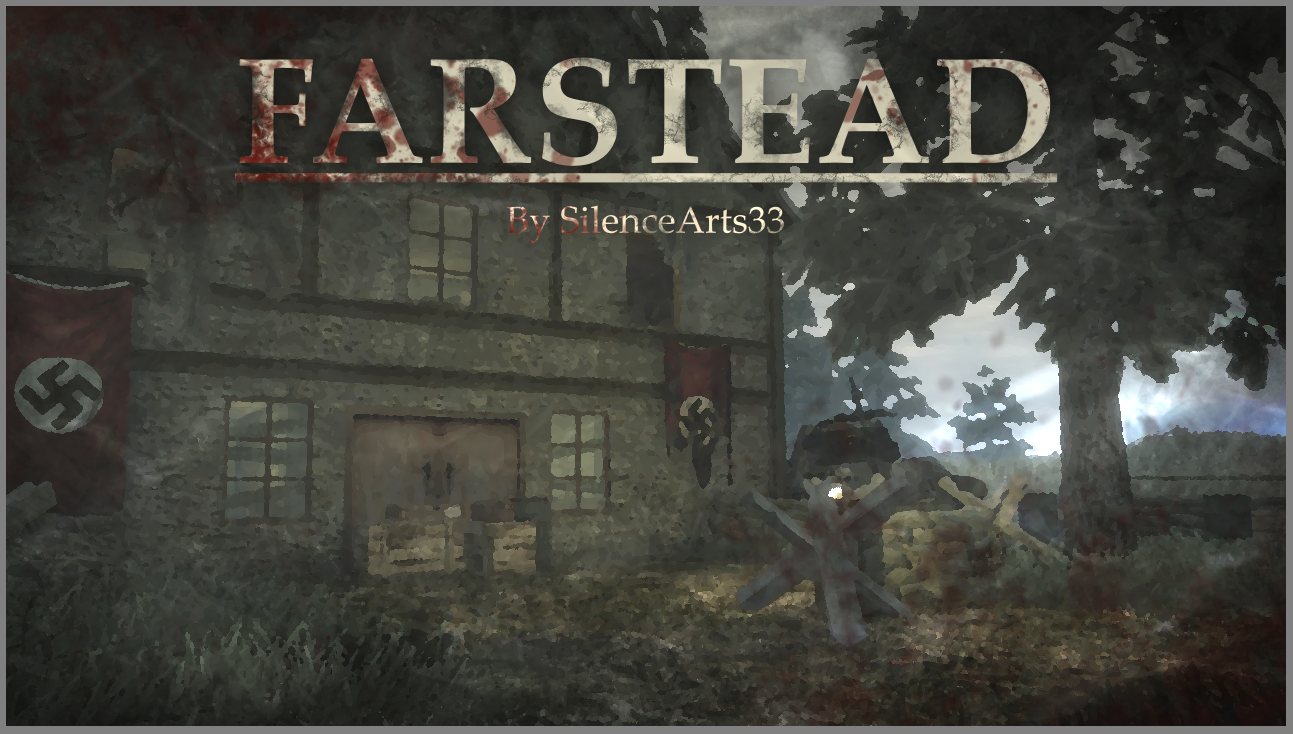
After running it through the asset manager conversion, it appears as the second attached image, where everything red has been turned blue.
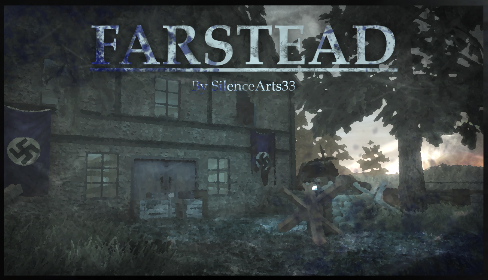
I have no idea why it's doing this. I created the image in Krita and converted it to DDS using an addon. I then ran the DDS image through the asset manager to create the IWI file. I'm not sure at what point the red became blue or how to fix it. Any help would be super appreciated!
Thanks in advance,Silence EDIT: I solved the issue by downloading Paint.NET and re-exporting the DDS image from there instead of Krita.


 Reply
Reply